Vanilla RTX with handcrafted 16x normal maps for all blocks!
The Vanilla RTX Resource Pack. Everything is covered!
Composition of both Vanilla RTX & Vanilla RTX Normals. Featuring an unprecedented level of detail.
Installation Guide:
1. Ensure your system meets the hardware requirements with the latest graphics drivers installed.
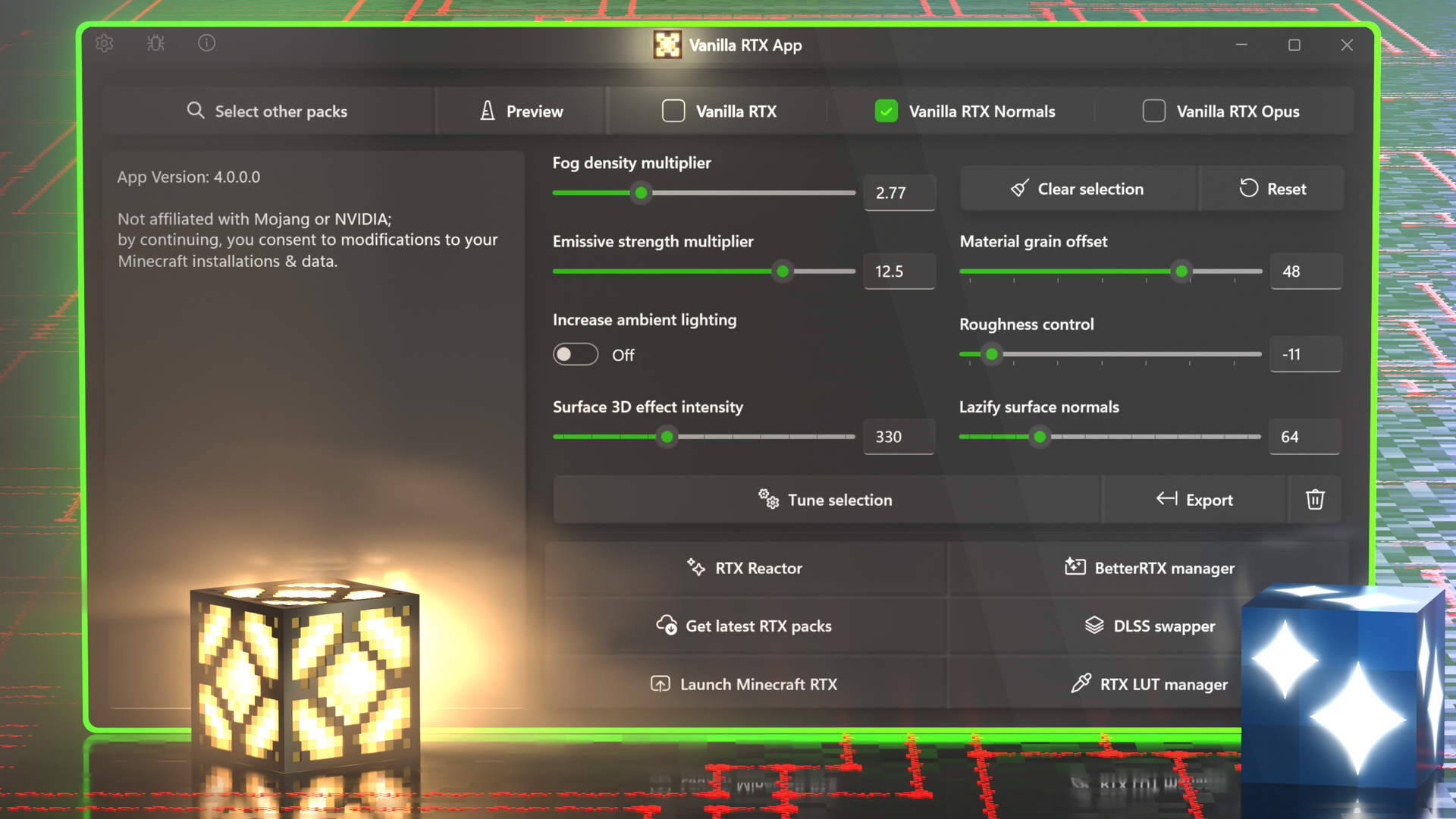
2. Install your desired Vanilla RTX resource pack, you can also use the dedicated Vanilla RTX App to automatically manage and update Vanilla RTX packages.
3. Use the app to launch Minecraft RTX after packs are installed.
4. Head to resource pack settings and activate Vanilla RTX.
4. Join any world, server, or realm with ray tracing now enabled correctly.
Usage Tips:
• Since the release of Minecraft 1.21.60, a new bug (MCPE-191513) causes ray tracing option to remain greyed out even if DXR capable hardware is present and Vanilla RTX is activated.
The simplest, most reliable solution to enabling ray tracing in Minecraft is using Vanilla RTX App's Launch Minecraft RTX functionality, which avoids all settings/activation related bugs.
If you're curious what's happening, here are the details:
If ray tracing is enabled for the first time after the game is launched while you've already joined a world, it will cause the entire world to turn fully glossy, the only way to prevent this was to enable ray tracing from the main menu instead.
However, a while later Mojang introduced another bug that made it impossible to enable ray tracing from the main menu, so the path to enabling ray tracing became inevitably riddled with issues, many who did manage to enable it, got stuck with the glossy world/lack of PBR materials without knowing, which in itself introduced more issues. The final trick is to reload the world, which makes this workaround overly convoluted, if that wasn't enough, you have toggle on in-game graphics mode switching before you're able to do any of this.
The Vanilla RTX App streamlines Vanilla RTX's installation/update process and ray-tracing activation, all you have to do is to launch the game through the app and activate Vanilla RTX, then join any world.
• Unexpectedly low framerate? (Minecraft Issue: MCPE-121850)
- The Vanilla RTX App automates the workaround to this issue by disabling VSync before the game is launched.
- Still want to use VSync? Enable it in your GPU control panel instead—this also greatly reduces input latency when compared to Minecraft's VSync and could avoid other issues such as the one below.
• If the game window appears black, exit full-screen (press F11), close the game, relaunch the game and continue to play without entering full-screen mode.
• If you're using a dual-GPU setup (e.g. a Laptop with an Integrated GPU) make sure Minecraft is set to use High Performance GPU preference.
Vanilla RTX uses 16x heightmaps, which are later converted to a higher resolution (192x) normal map to create an impression of depth on flat surfaces.
Vanilla RTX Normals uses 16x normal maps instead, which define curvature on surfaces and the direction that light will bounce off each individual pixel, also creating a perception of depth and shape.
Only one can be used at a time, each will provide a distinct appearance for all blocks.
Both are arguably a true vanilla experience, which one feels better is up to you.
From a logical standpoint using 16x normal maps with 16x textures (resolution of default Minecraft textures) is more standard; however the way Mojang made heightmap look in Minecraft RTX is quite unique & stylish. They were intended to be used with low resolution textures (such as vanilla ones).
Both views are equally valid, so I maintain both variations and updates for Vanilla RTX and Vanilla RTX Normals are usually rolled out simultaneously.
Vanilla RTX Opus is the latest and final variation that combines both packs into one for an unprecedented level of detail.
To answer in a short way, there is a question that defines and guides the spirit of this project:
"What if ray tracing came with a fully-realized default resource pack built specifically for it?"
While Vanilla RTX is not an official work from Mojang (or Nvidia), it effectively serves to provide (or be) the answer to that question through a continued effort to give it the care and attention that a hypothetical native ray tracing pack would deserve.
The primary objectives are to give each block its very own character using ray tracing features, resolve as many compatibility errors as possible and keep the latest additions working with RTX, and ultimately to bring together a proper art direction for Minecraft's ray tracing.
Consider reporting the issues you find to Mojang at https://bugs.mojang.com
One way to confirm a bug is related to the game and not Vanilla RTX is to use this Empty RTX resource pack which uses base game's files, if an issue still appears, it is safe to say it is a game bug.
But if you believe you've found an issue that is related to Vanilla RTX, feel free to open an issue.
That said, Vanilla RTX already comes with workarounds for almost all resource-related issues.
Learn more...
Absolutely! In fact, Vanilla RTX already serves as the foundation for numerous other RTX and Vibrant Visuals resource packs.
You're free to use it in your projects of any kind (e.g. videos, renders, your own resource packs, even Minecraft servers/maps etc...), but in case you redistribute any files by me, give credit!
However you are not allowed to sell Vanilla RTX—this project and its files must remain freely accessible.
For more details read the full license file.
Contact Info
Discord ID: cubeir
Twitter / X: @cubeOhm
Minecraft: Bedrock Edition's built-in ray tracing graphics mode is often referred to as "Minecraft RTX" by the community, a shorter name that stuck around because of Nvidia's involvement in the addition of ray tracing to Minecraft and its exclusivity to Nvidia's RTX 20 series of GPUs upon Beta launch.
Disclaimer note:
This website is only a personal hub for my independent projects developed for Minecraft RTX.
It does not represent Mojang, Microsoft, or NVIDIA.
Vanilla RTX is not an official Minecraft product, it is only built to the standard an official pack should have to meet.
For official information on Minecraft with ray tracing, see:
https://www.minecraft.net/en-us/updates/ray-tracing
An centralized hub dedicated to Minecraft RTX to keep Vanilla RTX packs up-to-date, tune fog, lighting and materials, enable ray tracing with ease, manage BetterRTX presets, DLSS, and much more!
A series of smaller packages that give certain blocks more interesting properties with ray tracing!
Optional Vanilla RTX extensions to extend ray tracing support to content available under Minecraft: Education Edition (Chemistry) toggle.
Replaces all Education Edition Element block textures with high definition or exotic materials for creative builds with ray tracing. Features over 88 designs, including some inspired by Nvidia's early Minecraft RTX demos!
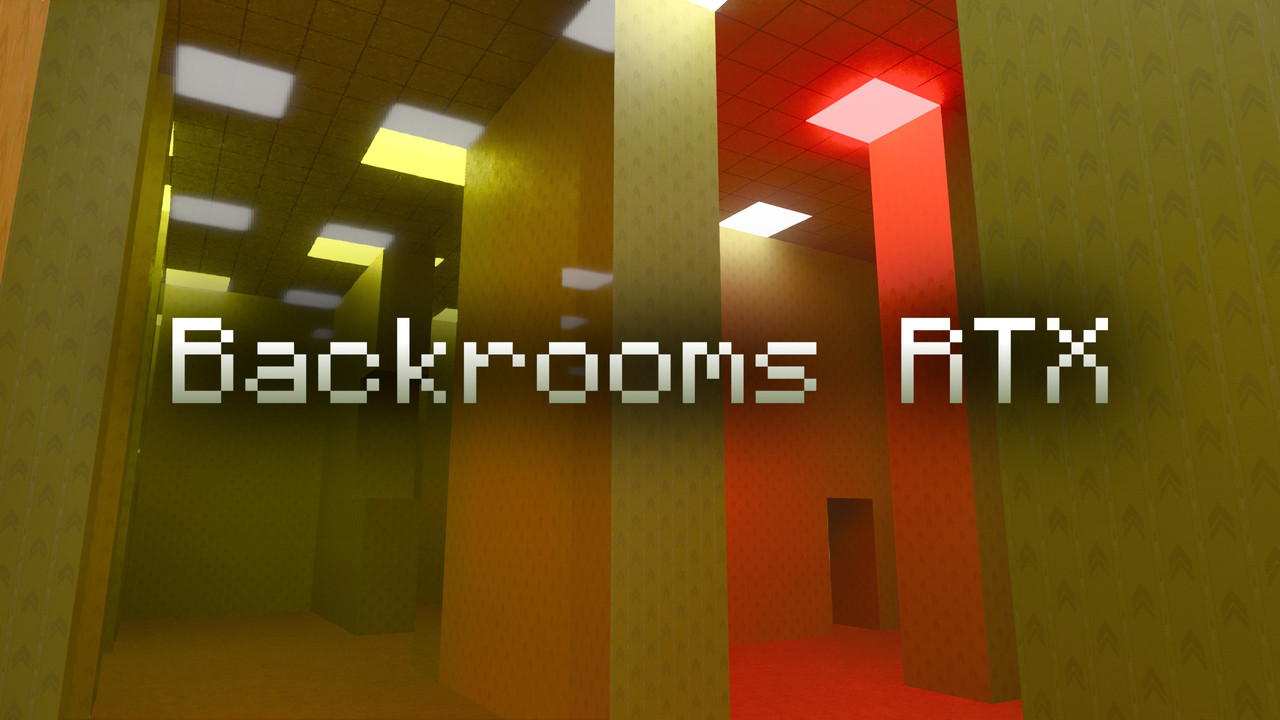
Randomly-generated backrooms that span forever!
Created in the same spirit as RTX's other showcase worlds that were on the marketplace on Minecraft RTX's launch, it is a unique, endless horror experience made with ray tracing in mind.
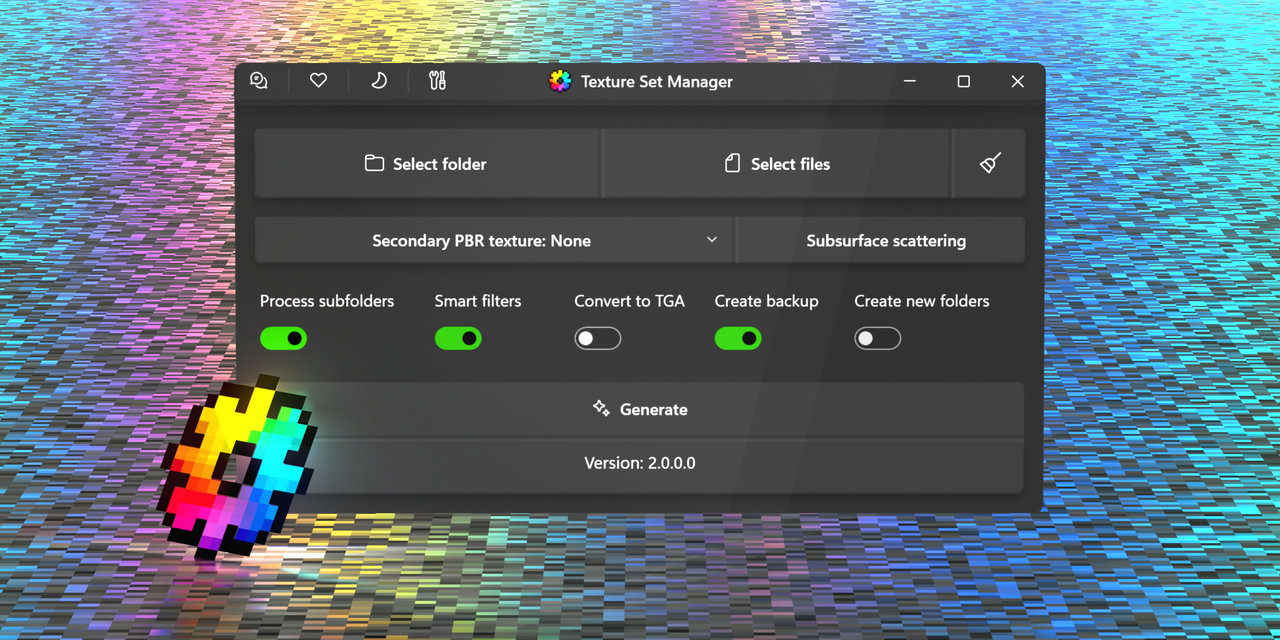
Feature-rich automation tool for resource pack authors to generate texture sets for RTX or Vibrant Visuals.
A branch of Vanilla RTX made fully compatible with Vibrant Visuals graphics mode.
An application to automatically convert regular Bedrock Edition texture packs for ray tracing.
Coming to the Vanilla RTX App soon.
Thanks to the following individuals, Vanilla RTX is ongoing...
nattyhob
EchoQuasar
Miriel
Giuseppe DiMarca
Cody Starr
Dabadking
Spaceowl
Joseph
Willström
Bastha
PotatoHour
Kittygamer123
Lanaismymommy
James Kelly
Aaerox
jessehall(Maneating-Zebras)
Nash Knowlden
OmarVillegas
Isttret
Superluminal
Travis Bishop
Dylan
Kyo Don
Commander Grub
The_Asa_Games
Koiboi
jamesyoung
Nick Da Fox
Richard Anderson (Rich)
Jacob
DomoTurbulence
Rory
Luxalios
Oxbow117
Mono234_Glitch
Austin Mullings
mIbU
Spikey ᵈᵉʳ ᶠᵘᶜʰˢ
Bryan Tepox
67
Ryan S Beers
TyTGM
AgusRomero0501
IcyFer
Smiletrap
Justin Klaassen
Dogtag
Kudo Cyylentaar
and all those who have supported this project in the past
Big Plonk, Jordan, Rolando Dojer, Plugin, Jayssizle, Drackae, Spikey ᵈᵉʳ ᶠᵘᶜʰˢ, David Sabrowsky, Byrn, TKbn, Charles D Powell, FobidenNinja, Ernesto cuellar, Pete, ObsydianX, Waffle, Pizza4001, GabrielGarig, Deleted User, nathanhillis420, Alexkillerk209, Bryan Tepox, James Beaulieu, Jacob, Healor, RJ Fajilan, spacetoker, Jayssizle, Patucho, DustonButler, SvGGRK, ObliviousDraede, Sebastian Casas, Guzozvak, Jeremy Perry, crungleDorf, Dan Martin (Weeblerned), aliero, Kevo, Herberto Sanchez, x2-TP_x2Kun_TV, Steve, Thomas Zeman, Azorawing, joanmrz, Diego Jauregui, Dr._.Niki, Ernesto cuellar, ivinter666, DrawVid, Leo Montenero, ri, °Dr. Okapi°, GoldGamer 11, Arseniy, Sasha62835, Koorg, J, kisrra, Charles D Powell, E2131, Nekodoku, dragosandrew, Chum Bucket Mind Control Helmet, KonstantinKeller, tacolover237, Michael Gregory Fargher, DrawVid, PlushRapier145, Ricardo Ramirez, Caleb Stanley, Kittygamer123, kazu, Dan Thurber, Shiternet, Dex R, nxsty, Irwin Montalvo Roach, UDJM_Phoenix, StigFinnegan, Josh Gonzaga, ThePhanderOn, Sarux, joanmrz, Gabriel Braga, PlayingVoyage, hipo, Jack Brandham, imcalledsebastian, mickael, X3, RexityX, llArcher64ll, Darkjestir, Harambebe, Orchid, Bryan Tepox, McDermie, PrepareForBeans, Jeff, Haerge, Jordan, Catmatzi, Jhony, Willström, Martin Corona, Lainosaurus666, Sasha62835, Steve, Juan, Zhonpy, XODev